Custom Anki Note Types
Four beautifully styled (Catppuccin-inspired) and feature-packed Anki note types, for use in both flashcard and cloze creation.
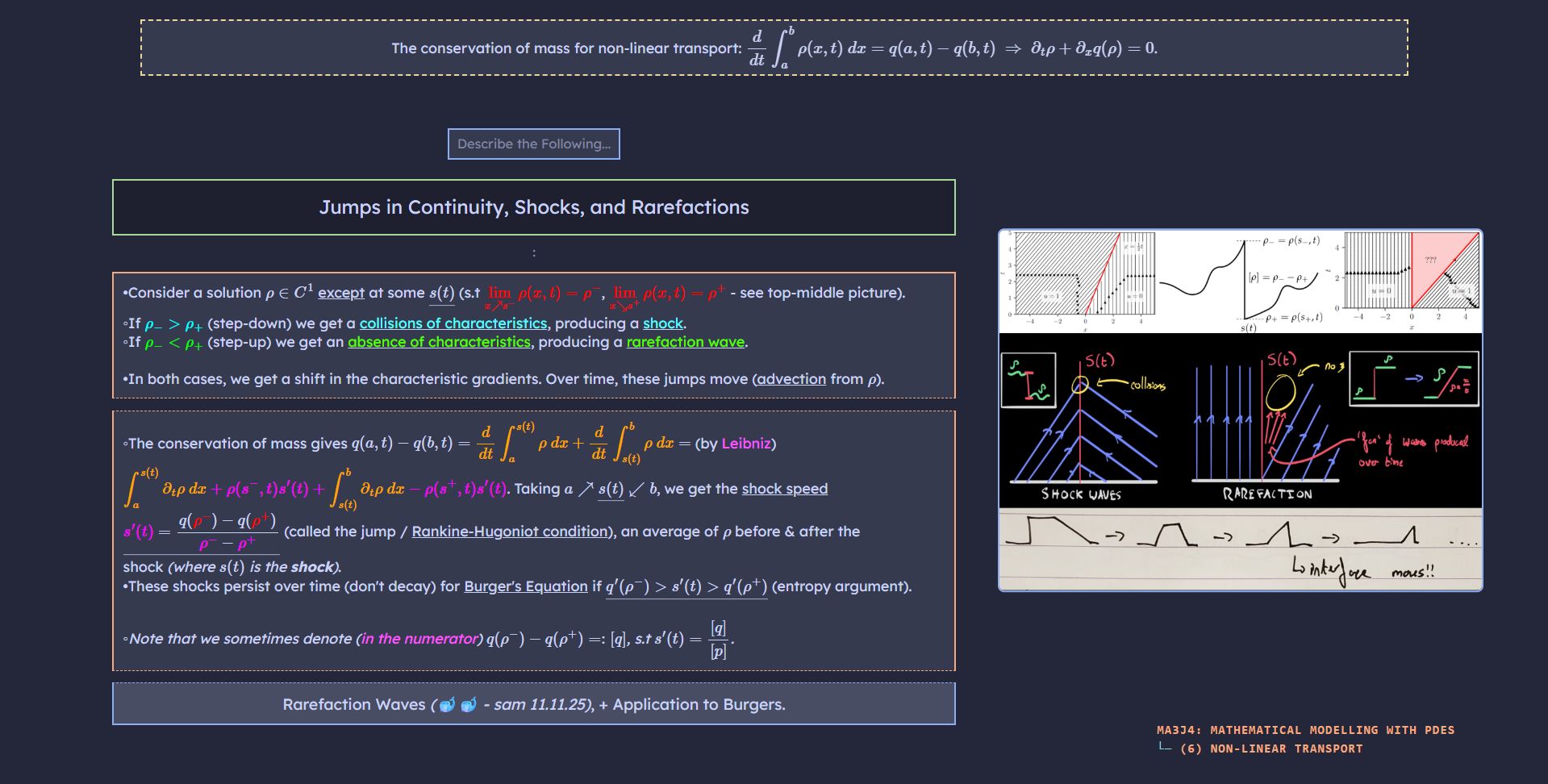
*: Auto Completed by "Auto Deck Fields" add-on.
†: Only on "Flashcard - Basic" notes. ‡: Only on "Flashcard - Cloze" notes.
- *Index: Note identifier (sorted in the browser by default).
- †Task: Initial prompt to the user ("
TASKthe Following..." - top blue box). - Name: Note subject title / premise (top green box).
- Setup: Preliminary information (top yellow box).
- ‡Text: Preliminary information (top yellow box).
- Picture: Helper image container (shown on card back - right side).
- †Cue1-6: Flashcard front prompt.
- †Answer1-6: Flashcard back answer.
- Note: Extra note information (bottom / bottom-right grey box).
- *Chapter: Deck grandparent hierarchy (bottom-right).
- *Subchapter: Deck parent hierarchy (bottom-right).
Functionality contained in all my custom note types:
- Adaptive dynamic auto-scaling of all text and elements, depending on the screen size (including mobile!).
- Automatically pre-injects all MathJax elements in all fields with the
\displaystylekey, allowing for spacious LaTeX equations. - Allows the user to easily grade cards, by pressing the
1-4keys (Again - Easy). - Intuitive, individual colouring of all elements, with premises in green, cues in blue, and answers in orange.
- Optional "Setup" box, for preliminary / helper information.
- Dynamic Task Abbreviation Decoder, for card instructions (eg:
Task: "DF"translates cleanly to "Define the Following"). See note source code for full syntax. - Dynamically shifts all elements to make room for any images present.
- Images can be viewed in fullscreen by simply clicking them.
- Displayed deck hierarchy and metadata in the bottom-right corner, for context.
Flashcard-based note type, where all answers are hidden as cues, and the user is prompted to solve a single cue (in blue). Flipping reveals all answers. Extra features:
- Auto-hides unused cues & answers.
- Allows the user to see the front of the card again after flipping (intelligently, retaining some information such as images), by hitting the SPACE key.
Flashcard-based note type, where all but one of the cues are revealed as answers, and the user is prompted to solve the missing piece (in blue). Extra features:
- Auto-hides unused cues & answers.
- Allows the user to see the front of the card again after flipping (intelligently, retaining some information such as images and non-assessed answers), by hitting the SPACE key.
Flashcard-based note type, where the user is prompted to solve a single cue, given the answers of all the previous cues (subsequent answers hidden). Extra features:
- Auto-hides unused cues & answers.
- Allows the user to see the front of the card again after flipping (intelligently, retaining some information such as images), by hitting the SPACE key.
Cloze-based note type, where the user is prompted to fill in the blank(s) in a large block of information. Extra features:
- Effortless detection of the exact block to solve, using cue-coloured borders around elements.
To install these note types, click the download link and unzip to reveal all note types.
Inside Anki, navigate to File → Import and select the file of choice. This will automatically import the selected note type, and an example note which uses it (if it does not already exist).
This note is located under Archive::MA3J4: Mathematical Modelling with PDEs::(6) Non-Linear Transport.